canberke.com · Guide
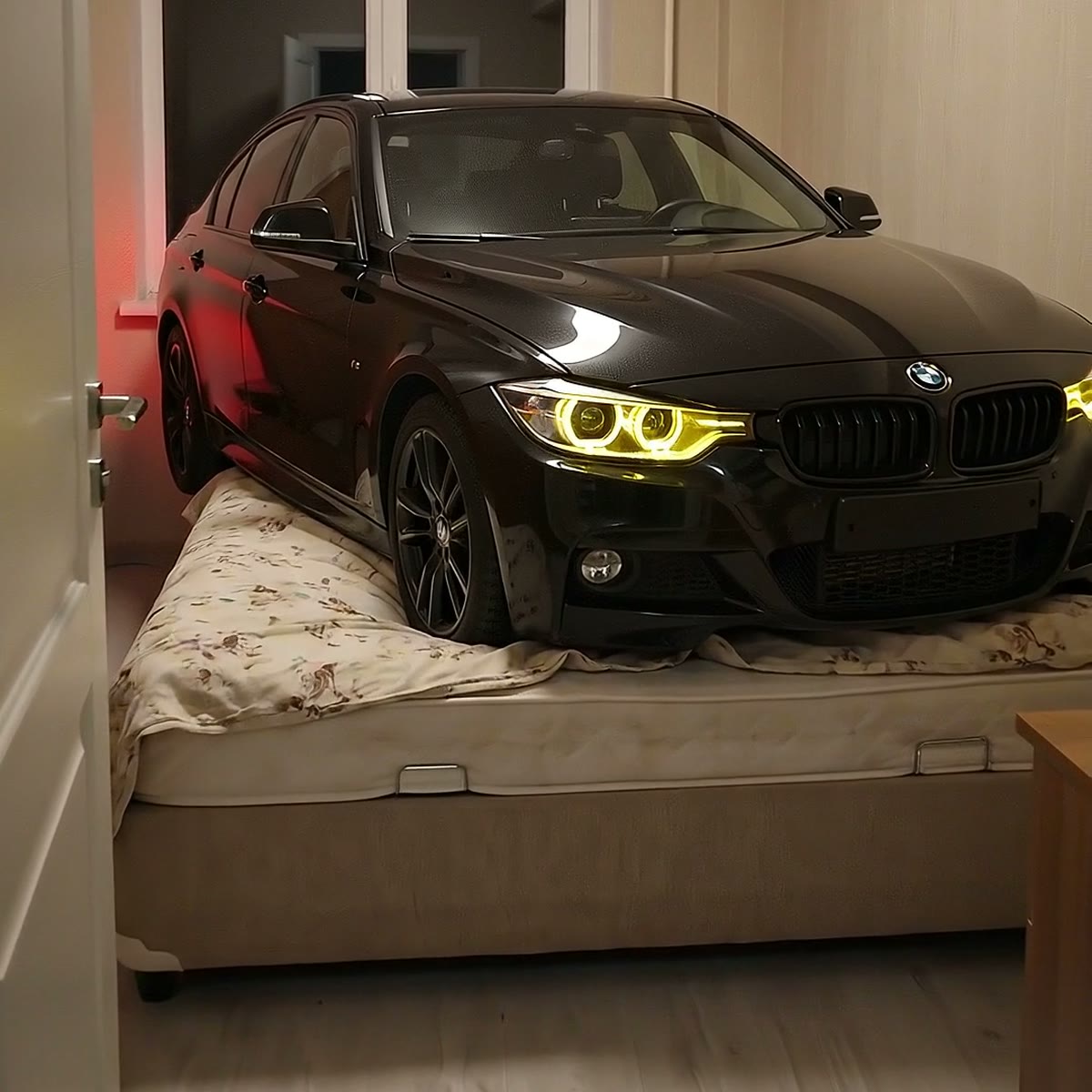
A CAR IN THE BEDROOM
How to put any car on any bedroom's bed and turn it into a clip. Two prompts: the first one Geminibuilds the car's identity sheet, the second one Google Flowgenerates three separate vertical clips. The edit is yours. The prompts are in English on purpose — the models answer English better.
This guide is interactive. Type your own car's make, model and year below and every prompt on the page updates for you instantly . Then copy each prompt with one click. You do not have to describe the colour, headlights, wheels or body kit — those are carried over from the photo and the reference board.
Before you start
- A photo of the car. Front-left three-quarter angle if possible, bright and sharp. Shoot it on your phone if it is your car; otherwise find a clean frame online.
- A 9:16 image of the empty room. You can download mine below — the prompt was written for this room, so using it gives you the same result. Your own room works too: shoot it vertically, bed made and clear, door open.
- Gemini (image generation) and Google Flow (video generation) accounts.
- An editing app. CapCut is enough, and it works on a phone.
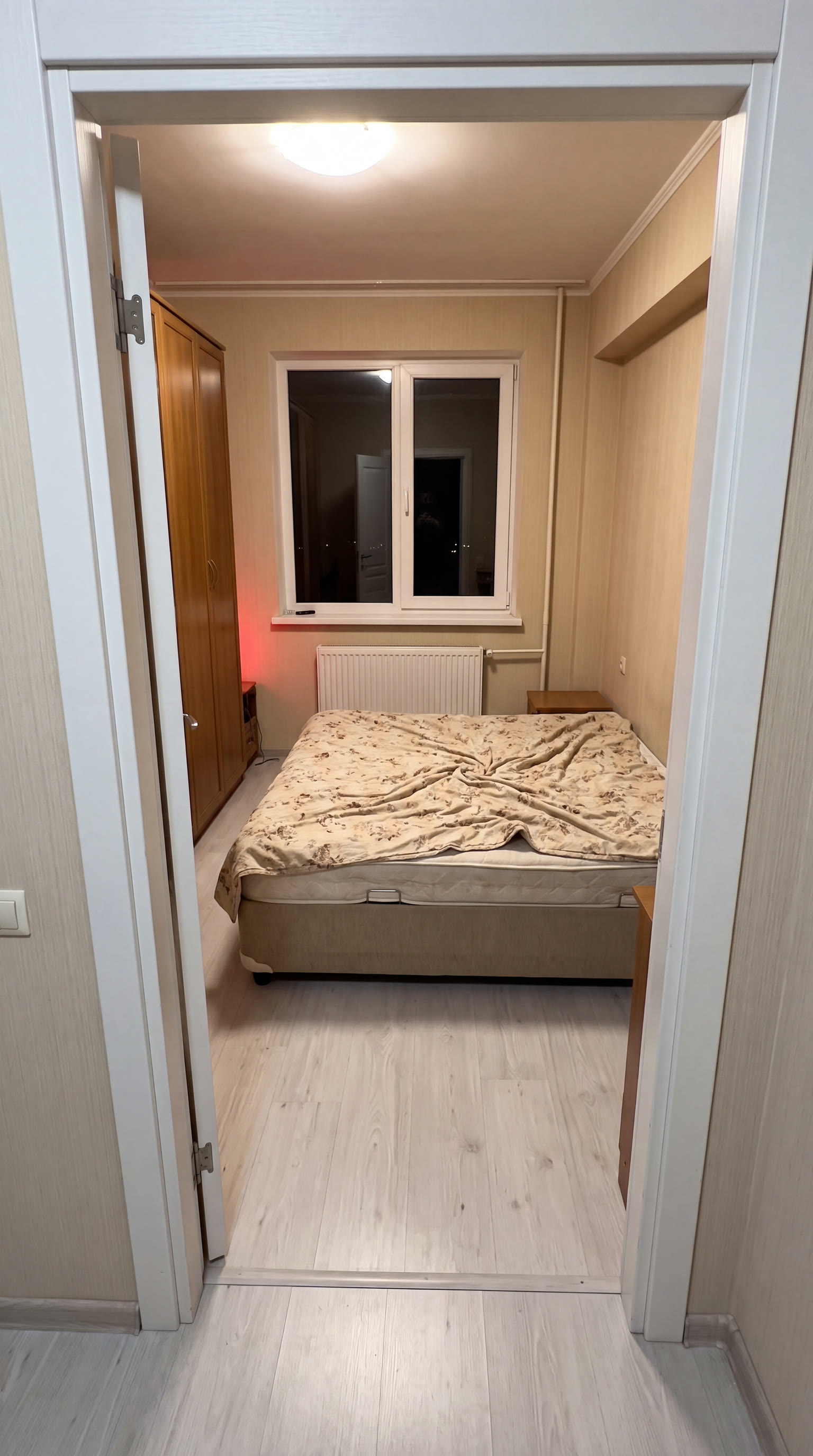
Room reference (9:16)
The room from the videos. It is AI-generated too — not a real home — so everyone can build the same scene without publishing anyone's house. Upload it to Flow as the second reference.
Download the imageFill in your details
Fill this in once and it flows into both prompts below. The highlighted parts are your values.
Skip this and the video model draws the car slightly differently in every frame: the wheels change, the grille shifts, the colour drifts. So first we produce one reference board — the same car from six angles on white. After that the video model is copying, not imagining.
Copy the prompt, together with the photo of the car send it to Gemini, and download the board it produces.
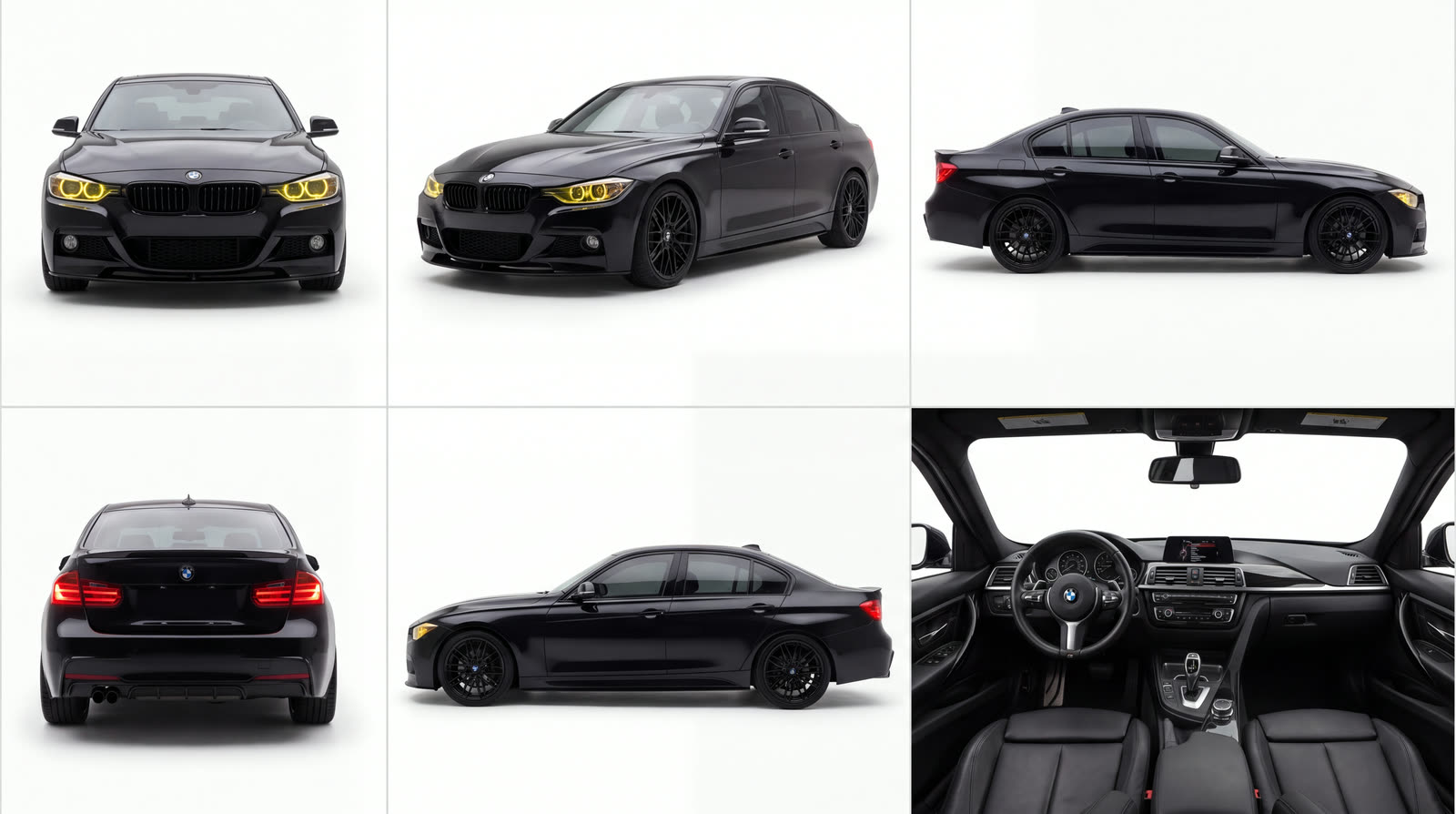
Upload both images to Flow: the car board from step 1 ve the room reference (the one you downloaded above, or your own). Copy the prompt and send it. We are not asking for one finished video; we want three separate clips — entrance, headlight and wheel — and we will assemble them ourselves.
The prompt looks long, but all of that length is a list of "do not do this": the wheel must not spin, the car must not float, the room must not change, the camera must not jump. Most model failures come from leaving those lines out.
Download the three clips separately. Order: entrance → headlight → wheel → exit. Do not generate a separate exit shot; reverse the entrance clip in the edit. Because you leave along the same camera path, the start and the end meet and the video loops.
Cut on the beat. The track I used: NUOR GARSAS — ozon.
These are my raw outputs, untouched. The fake camera interface in clips one and three (0.5x, 60cm, ULTRA WIDE) is the model inventing it — Flow does this occasionally even though the prompt says no interface elements. Crop those frames in the edit, or regenerate the clip.
Only three fields change. Do not write the car's colour, headlights, wheels or body kit into the prompt. The moment you do, the model starts drawing what is described and drifts away from the car in the photo. Every physical detail comes from the board; you only state make, model and year.
When it falls apart: If your car photo is dark, blurry or shot from far away, the board comes out inconsistent and nothing after that rescues it. Likewise, if the bed is unmade in the room photo the model cannot compress the blanket properly and the car floats. When both references are clean, the rest just flows.
I made this guide for free. If you get stuck, message me on Instagram. — canberke.com